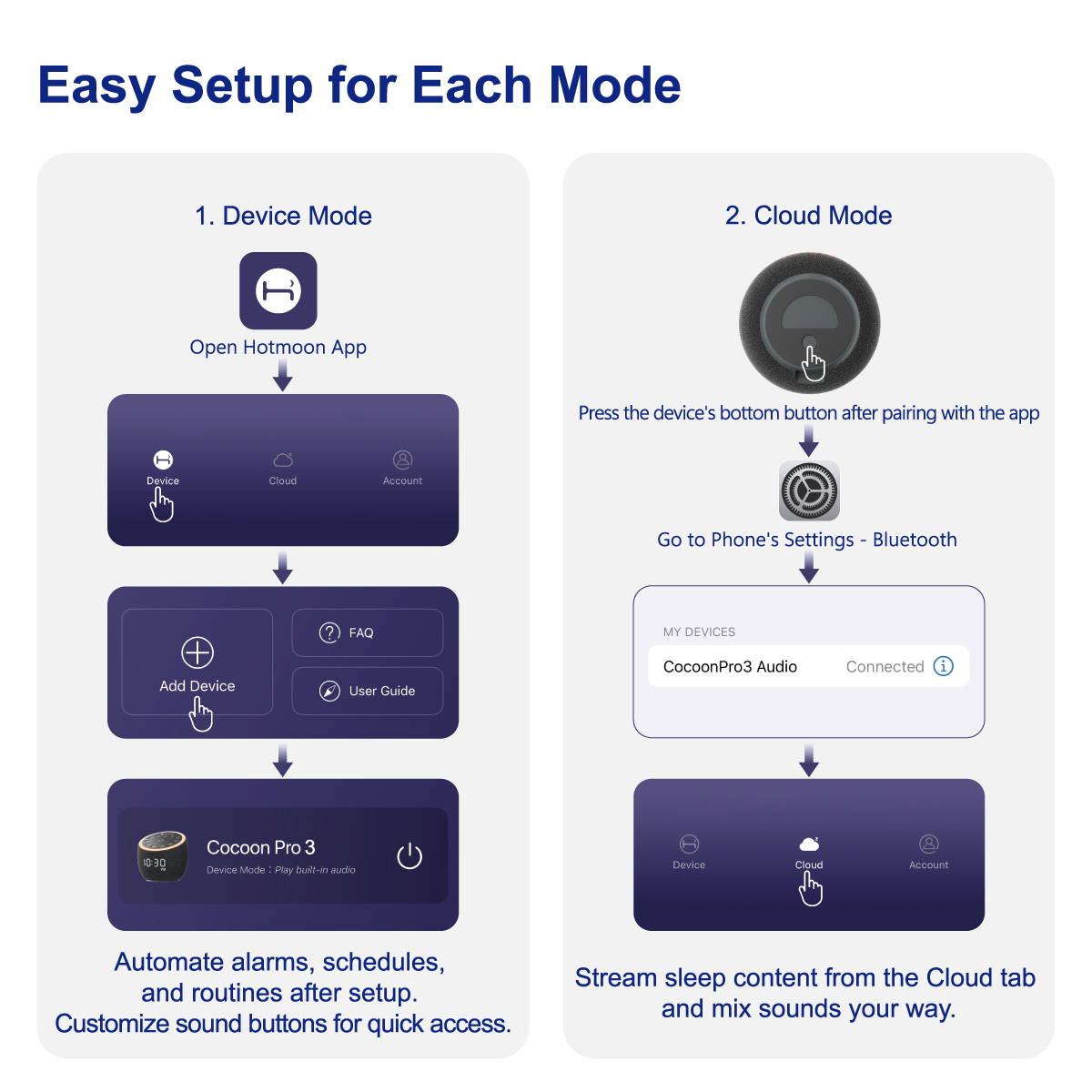


1) First, make sure your phone’s Bluetooth is turned on.
2) Plug it in, turn it on, and hold the device's bottom button until the light flashes.
3) Open the Hotmoon app, go to 'Device' > 'Add Device' > select 'Cocoon Pro 3', and follow the in-app instructions to complete setup.